Home Categories Listings Cities Blog News Contact Promote Listing Add Your Listing Download App
Home Explore Promote Add Get App
Add Your Medical Listing on HealthDial Add Your Medical Listing on HealthDial
Basic Information
About your facility
0/2000
Location
Where are you located?
Contact Details
How patients can reach you
Business Hours
When are you open?
Photos *
Up to 5 photos — first is cover image

Drag & drop photos here

Or click to browse  ·  JPG, PNG, WebP  ·  Max 5MB each  ·  Up to 5 photos

Free listing — reviewed and published within 24 hours

How to Add Your Listing

Get your medical facility live on HealthDial in four simple steps — completely free.

Step 1

Fill the Form

Enter your facility name, category, address, contact details and business hours above.

Step 2

Upload Photos

Add up to 5 clear photos of your facility — entrance, interior, equipment, signboard.

Step 3

Submit & Get Verified

Our team reviews your listing within 24 hours and publishes it with a verified badge.

Step 4

Go Live & Get Found

Patients nearby start discovering your facility — via search, GPS navigation and 1-tap calls.

Boost Reach with Your Own QR Code

After your listing goes live, order a printed QR code card for your reception desk, visiting cards or clinic entrance. Patients scan it to instantly view your profile, call you, and get directions.
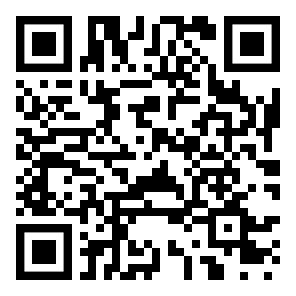
  • Unique QR linked directly to your HealthDial profile
  • Works offline on printed cards, boards & posters
  • Patients scan → call, get directions, read reviews
  • Track scans & measure real-world patient footfall
Get Your QR Code
Sample QR Code
Sample QR Code
Your profile QR after listing

After Your Listing Goes Live

Here's what happens automatically once our team approves and publishes your listing.

Appear in Search Patients searching for your category and city will see your listing immediately.
GPS Navigation Patients get one-tap GPS directions to your facility from the app.
1-Tap Calling Your phone number is prominently shown for instant patient contact.
Reviews & Ratings Patients can rate and review your facility, building trust over time.
Promote for Top Spot Optionally promote your listing to appear at the very top of search results.
QR Code Card Order a printed QR code to display at your facility and on visiting cards.
Tips for a Great Listing
Add clear, well-lit photos of your facility entrance and interior
Include the full address with a nearby landmark so patients can find you easily
Use the GPS button to add your exact coordinates — helps with map navigation
Write a detailed description of your services and specialties
ONE-TIME
₹200
Printed card delivery
Your Listing is Live!

Boost Walk-ins with
Your Own QR Code

Patients scan it to instantly find, call, and navigate to your facility. Place it at your reception, entrance, or visiting cards.

  • Unique QR linked directly to your HealthDial profile
  • Works offline on printed cards, boards & posters
  • Patients scan → call, directions, reviews instantly
  • Track real-world patient footfall & scan count

Secure payment via Razorpay · No hidden charges

Listing Added Successfully!

Your listing is now live on HealthDial. Patients across India can find, call, and navigate to your facility.

Select Language